Automate Code Review in Bitbucket with Rovo Dev
January 18, 2026 by Anuraj
bitbucket code-review
In this blog post we will learn how to enable code review in Bitbucket with Rovo Dev. Rovo Dev introduced by Bitbucket recently. Rovo Dev can review pull requests in this repository and leave comments about potential improvements to quality, performance, security, and more.
To use this, first we need to enable Rovo Dev code review or AI code reviews in the bitbucket repository. We can do this from Bitbucket repository settings. Search for Code Review or we can find it under Features > Rovo Dev Code Review menu.
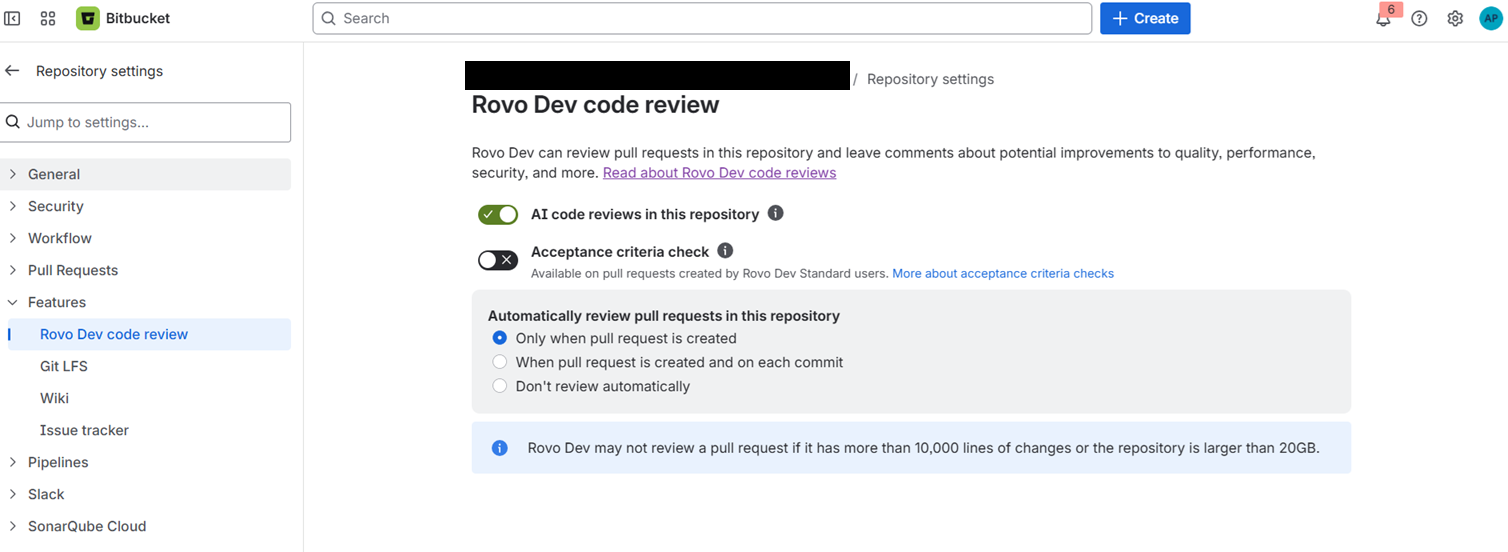
And toggle the AI code reviews in this repository option. I am not using Acceptance criteria check that we can turn on or turn off.
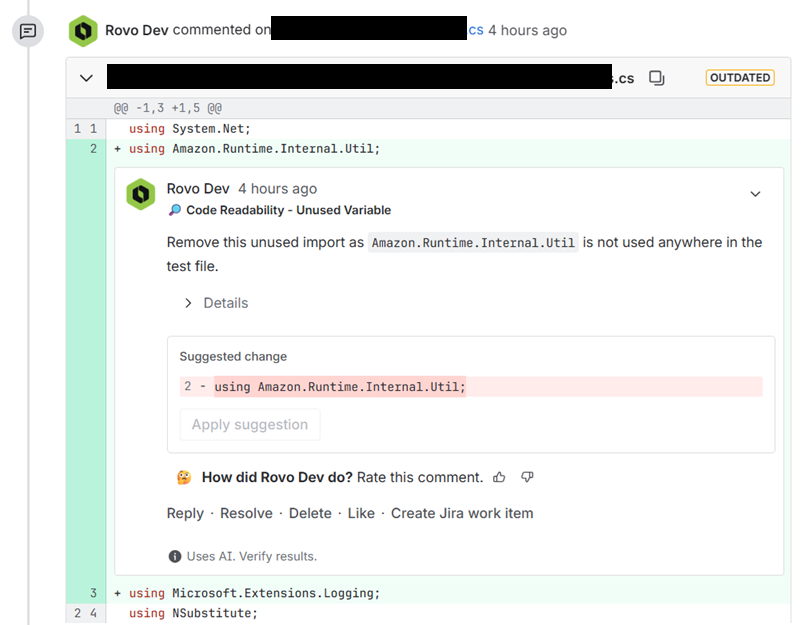
Once enabled, when ever we raise a Pull request, Rovo will start reviewing the code and add reviews comments in the Pull request.
Here is an example of a comment.
We can further customize the behavior by setting custom instructions to the repository. To do this we need to add .rovodev directory in the repository root and then add a .review-agent.md file in the .rovodev folder and add clear, specific instructions for Rovo Dev to follow when reviewing pull requests in the repository.
For more information on how to set custom instructions check out the atlassian support website
This way we will be able to enable automated code review in Bitbucket and setup custom instructions.
Happy Programming.
If you find my content helpful, consider supporting my work. Your support helps me continue creating valuable resources for the community.

Found this useful? Share it with your network!
Copyright © 2026 Anuraj. Blog content licensed under the Creative Commons CC BY 2.5 | Unless otherwise stated or granted, code samples licensed under the MIT license. This is a personal blog. The opinions expressed here represent my own and not those of my employer. Powered by Jekyll. Hosted with ❤ by GitHub