Build a CI / CD Pipeline for Azure Functions using GitHub Actions
December 14, 2025 by Anuraj
azure github devops
In this blog post, we’ll learn how to build a CI/CD pipeline for Azure Function using GitHub Actions. GitHub Actions is a powerful tool that allows you to automate, customize, and execute your software development workflows directly within your GitHub repository. It supports continuous integration (CI) and continuous deployment (CD), enabling you to build, test, and deploy your code seamlessly.
First we will be creating an empty GitHub Repository - I am adding the Readme, License and .gitignore files.

Once created, we need to clone it using git clone command. We will be creating the Azure Function inside this. Next we can create the Azure Function using the command func init --worker-runtime dotnet-isolated --language csharp --target-framework net10.0 --force - I am using dotnet isolated with .NET 10 runtime. Next we will add a function using the following command - func new --name HelloWorld --template "HTTP trigger" --authlevel "function". It will create a function class like this.
public class HelloWorld
{
    private readonly ILogger<HelloWorld> _logger;

    public HelloWorld(ILogger<HelloWorld> logger)
    {
        _logger = logger;
    }

    [Function("HelloWorld")]
    public IActionResult Run([HttpTrigger(AuthorizationLevel.Function, "get", "post")] HttpRequest req)
    {
        _logger.LogInformation("C# HTTP trigger function processed a request.");
        return new OkObjectResult("Welcome to Azure Functions!");
    }
}
Now we can test the function using func start command. Once it is completed the build, we can browse the function endpoint and verify it is working. We can commit the changes and verify it is available in the GitHub.
Next we will go to the Azure portal and provision an Azure function. For this demo I am using the recommended Flex Consumption plan.
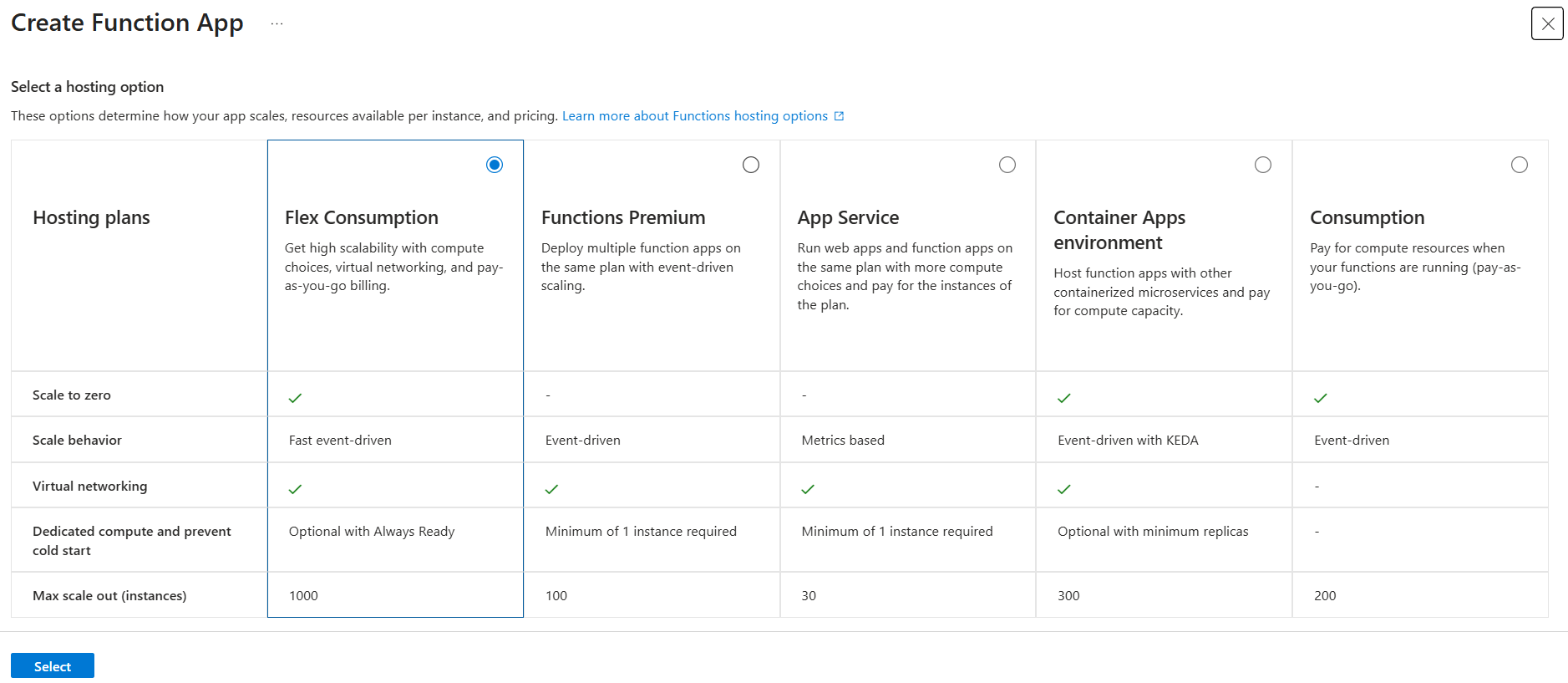
In the next screen, provide the name, select the RunTime Stack as .NET and Version as 10 (LTS), isolated worker model, click on continue with default values. We need to setup the Deployment option - which helps us to create the GitHub action workflow. In this screen we need to select the GitHub Organization, Repository and Branch.
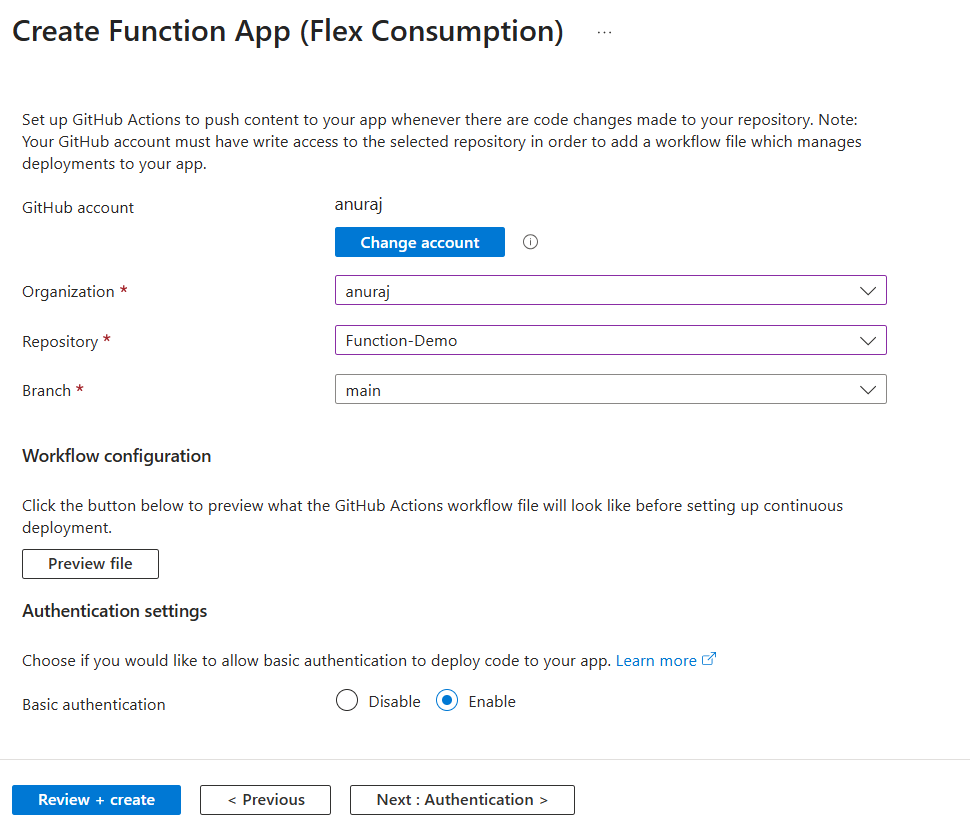
And enable Basic authentication. We can click on the Preview button to view the GitHub Actions file. Now we can click on the Review and Create button to create the Azure Function. It will take few seconds to deploy the resources to Azure. Once it is completed, we can see the GitHub Actions file inside our Github repository. It will be something similar to this.
# Docs for the Azure Web Apps Deploy action: https://github.com/azure/functions-action
# More GitHub Actions for Azure: https://github.com/Azure/actions

name: Build and deploy dotnet core project to Azure Function App - rg-blog-demo

on:
  push:
    branches:
      - main
  workflow_dispatch:

env:
  AZURE_FUNCTIONAPP_PACKAGE_PATH: '.' # set this to the path to your web app project, defaults to the repository root
  DOTNET_VERSION: '10.0.x' # set this to the dotnet version to use

jobs:
  build-and-deploy:
    runs-on: ubuntu-latest

    steps:
      - name: 'Checkout GitHub Action'
        uses: actions/checkout@v4

      - name: Setup DotNet $ Environment
        uses: actions/setup-dotnet@v1
        with:
          dotnet-version: $

      - name: 'Resolve Project Dependencies Using Dotnet'
        shell: bash
        run: |
          pushd './$'
          dotnet build --configuration Release --output ./output
          popd

      - name: 'Run Azure Functions Action'
        uses: Azure/functions-action@v1
        id: fa
        with:
          app-name: 'rg-blog-demo'
          slot-name: 'Production'
          package: '$/output'
          publish-profile: $
In this file, first we will be building the Azure Function using dotnet since we are using .NET as runtime. Next we are deploying the changes to Azure using Run Azure Functions Action setup - which uses Azure/functions-action@v1 package - which requires function app name, slot, the published output package and publish profile.
But in the actions tab, the workflow will be failed.
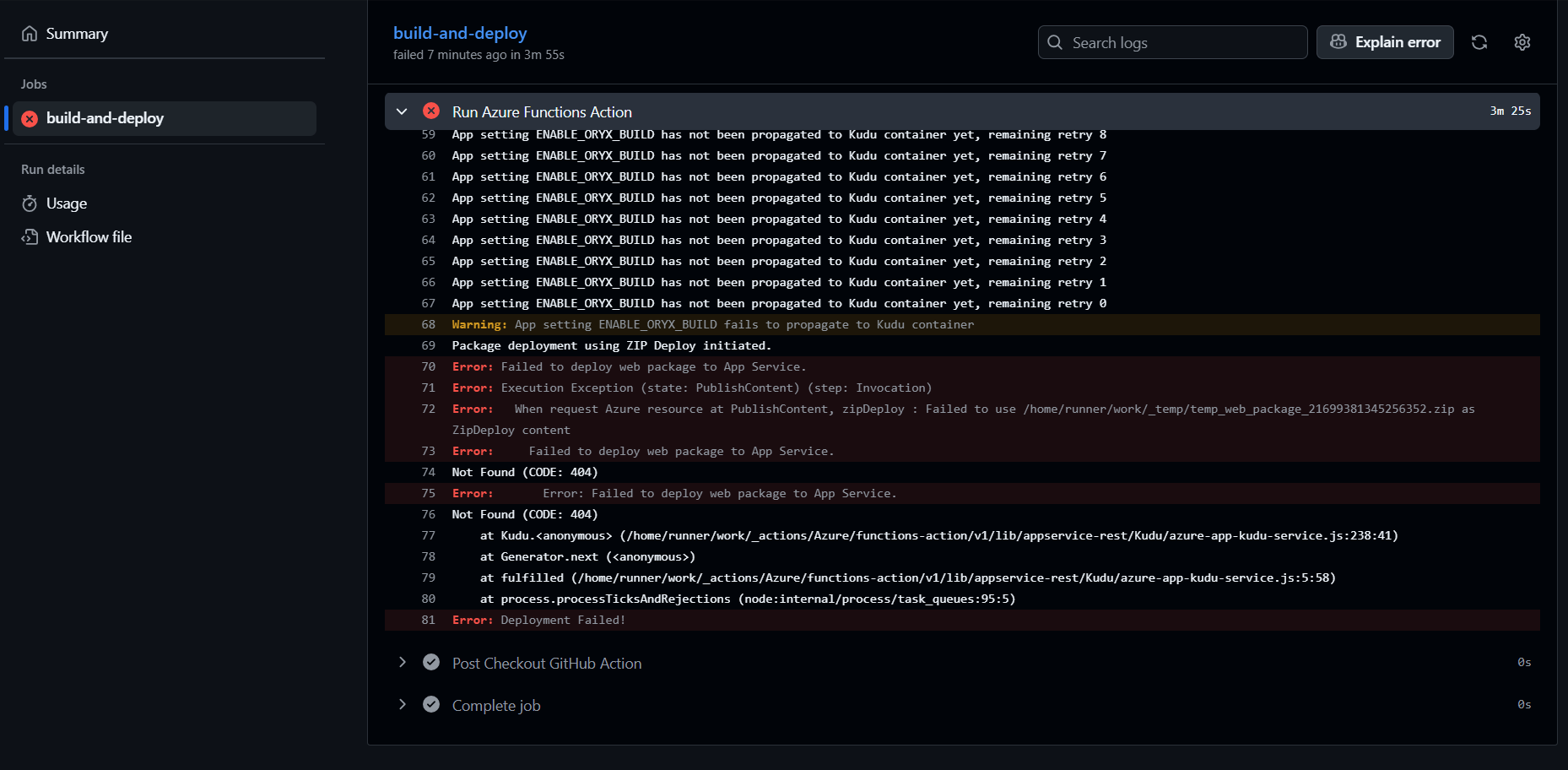
The failure reason will be not setting up two environment variables - SCM_DO_BUILD_DURING_DEPLOYMENT and ENABLE_ORYX_BUILD. Even if we set these values it will fail. We will get a different reason. Fix to this issue is simple we need to add the SKU to the Run Azure Functions Action setup in the YAML file. Here is the updated YAML file.
- name: 'Run Azure Functions Action'
  uses: Azure/functions-action@v1
  id: fa
  with:
    app-name: 'rg-blog-demo'
    slot-name: 'Production'
    package: '$/output'
    publish-profile: $
    sku: 'flexconsumption'
Now we can commit the changes and run the GitHub Action again. It will run and deploy the code changes to Azure Function properly.
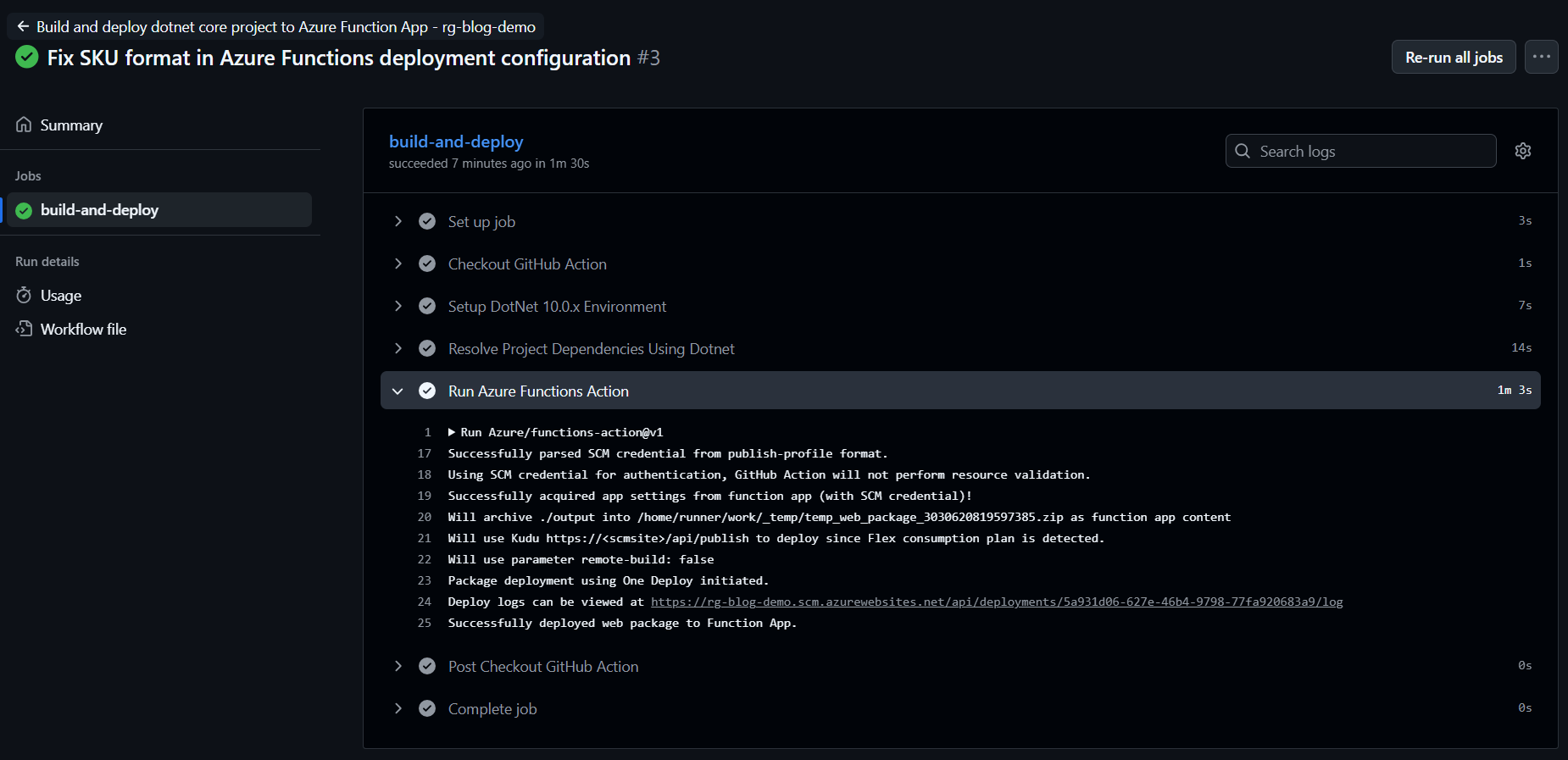
This way we can configure CI/CD for Azure Functions using GitHub Actions.
Happy Programming.
If you find my content helpful, consider supporting my work. Your support helps me continue creating valuable resources for the community.

Found this useful? Share it with your network!
Copyright © 2026 Anuraj. Blog content licensed under the Creative Commons CC BY 2.5 | Unless otherwise stated or granted, code samples licensed under the MIT license. This is a personal blog. The opinions expressed here represent my own and not those of my employer. Powered by Jekyll. Hosted with ❤ by GitHub