Create a CRUD HTTP API with Lambda and DynamoDB - Part 3
December 31, 2025 by Anuraj
AWS Lambda UnitTesting
In this blog post we will learn how to write unit tests for AWS Lambda. When we create the Lambda empty function, it will create a Unit test project as well. Since we modified the Lambda function to use APIGatewayHttpApiV2ProxyRequest and APIGatewayHttpApiV2ProxyResponse, we need to modify the unit test like this - here is the Lambda function.
using Amazon.Lambda.APIGatewayEvents;
using Amazon.Lambda.Core;
[assembly: LambdaSerializer(typeof(Amazon.Lambda.Serialization.SystemTextJson.DefaultLambdaJsonSerializer))]

namespace TodoApi;

public class Function
{
    public async Task<APIGatewayHttpApiV2ProxyResponse> FunctionHandler
        (APIGatewayHttpApiV2ProxyRequest request, ILambdaContext context)
    {
        var method = request.RequestContext.Http.Method;
        var body = request.Body;

        context.Logger.LogInformation($"Received {method} request with body: {body}");

        return new APIGatewayHttpApiV2ProxyResponse
        {
            StatusCode = 200,
            Body = "Hello from Lambda!",
            Headers = new Dictionary<string, string> { { "Content-Type", "application/json" } }
        };
    }
}
Here is the Unit test for this FunctionHandler method.
public class FunctionTest
{
    [Fact]
    public async Task TestFunctionHandler()
    {
        // Arrange
        var request = new APIGatewayHttpApiV2ProxyRequest
        {
            RequestContext = new()
            {
                Http = new() { Method = "POST" }
            },
            Body = JsonSerializer.Serialize(new { Name = "This is from Unit Test" })
        };

        var function = new Function();

        // Act
        var response = await function.FunctionHandler(request, new TestLambdaContext());

        // Assert
        response.StatusCode.ShouldBe(200);
        response.Body.ShouldBe("Hello from Lambda!");
        response.Headers.ShouldContainKey("Content-Type");
        response.Headers["Content-Type"].ShouldBe("application/json");
    }
}
In the unit test, we will be creating the APIGatewayHttpApiV2ProxyRequest in this we will be using POST method and sending JSON content. Then we will be creating an instance of the Function class. Then I will be invoking the FunctionHandler with the instance of APIGatewayHttpApiV2ProxyRequest. I am using Shouldy nuget package for fluent assertions.
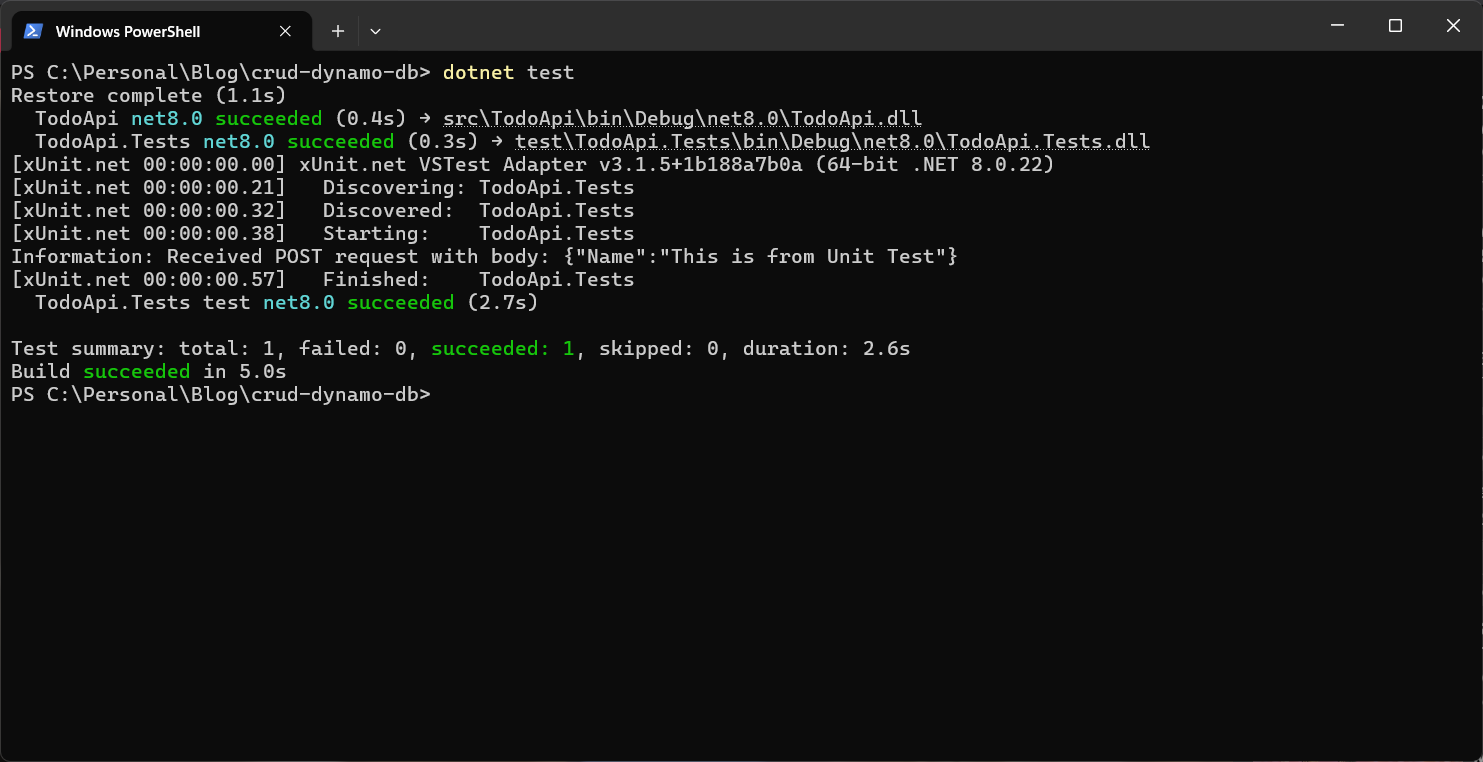
Now we can run the tests using dotnet test command. Here is the screenshot of the application running.
We modified the Lambda function like this for the DynamoDb CRUD application.
public Function()
{
    var config = new AmazonDynamoDBConfig
    {
        RegionEndpoint = region,
        ServiceURL = Environment.GetEnvironmentVariable("DYNAMODB_URL") ?? "http://localhost:8000"
    };

    var client = new AmazonDynamoDBClient(config);
    _dbContext = new DynamoDBContextBuilder()
                .WithDynamoDBClient(() => client)
                .Build();
}

public async Task<APIGatewayHttpApiV2ProxyResponse> FunctionHandler
    (APIGatewayHttpApiV2ProxyRequest request, ILambdaContext context)
{
    var method = request.RequestContext.Http.Method;
    return method switch
    {
        "POST" => await AddItems(request),
        "GET" => await GetItems(request),
        "PUT" => await UpdateItems(request),
        "DELETE" => await DeleteItems(request),
        _ => new() { StatusCode = 405 }
    };
}
If we try to execute the dotnet test command again, it will fail. Because it will try to connect to the DynamoDB running in Docker. So we need to modify the Function class constructor like this.
private readonly IDynamoDBContext? _dbContext;

public Function(IDynamoDBContext dbContext)
{
    var config = new AmazonDynamoDBConfig
    {
        RegionEndpoint = region,
        ServiceURL = Environment.GetEnvironmentVariable("DYNAMODB_URL") ?? "http://localhost:8000"
    };

    var client = new AmazonDynamoDBClient(config);
    _dbContext = dbContext ?? new DynamoDBContextBuilder()
                .WithDynamoDBClient(() => client)
                .Build();
}
And we can use mock IDynamoDBContext using NSubstitute nuget package. Here is the unit test for Post method.
[Fact]
public async Task TestPostMethod()
{
    // Arrange
    var request = new APIGatewayHttpApiV2ProxyRequest
    {
        RequestContext = new()
        {
            Http = new() { Method = "POST" }
        },
        Body = JsonSerializer.Serialize(new { Name = "This is from Unit Test" })
    };
    var mockDbContext = Substitute.For<IDynamoDBContext>();
    var function = new Function(mockDbContext);

    // Act
    var response = await function.FunctionHandler(request, new TestLambdaContext());

    // Assert
    response.StatusCode.ShouldBe(201);
    response.Body.ShouldBe("Todo Item Added");
    response.Headers.ShouldContainKey("Content-Type");
    response.Headers["Content-Type"].ShouldBe("application/json");
}
This way we can unit test all the CRUD operations. If we use Repository pattern and services for the database operations we don’t need to mock the IDynamoDBContext interface.
Happy Programming.
If you find my content helpful, consider supporting my work. Your support helps me continue creating valuable resources for the community.

Found this useful? Share it with your network!
Copyright © 2025 Anuraj. Blog content licensed under the Creative Commons CC BY 2.5 | Unless otherwise stated or granted, code samples licensed under the MIT license. This is a personal blog. The opinions expressed here represent my own and not those of my employer. Powered by Jekyll. Hosted with ❤ by GitHub