Generating Playwright Tests with GitHub Copilot and Playwright MCP server
December 06, 2025 by Anuraj
Playwright MCP GitHub Copilot
In this blog post, we will explore how to generate Playwright Tests with GitHub Copilot and Playwright MCP server. MCP is protocol developed by Antropic - which helps AI Agents or LLMs to interact with external APIs or services. In this we will be using GitHub Copilot Agent mode and Playwright MCP server.
To get started, first create a directory, and open it in VS Code. Next, we need to add the Playwright MCP to VS Code and GitHub Copilot. We can do this either using the command pallette or using directly adding mcp.json directly under .vscode folder. Here is the mcp.json file
{
	"servers": {
		"playwright": {
			"type": "stdio",
			"command": "npx",
			"args": [
				"@playwright/mcp@latest"
			]
		}
	},
	"inputs": []
}
We need to make sure, node is installed on the machine. Next we need to add copilot-instructions.md file inside .github directory. Here is the contents of my copilot-instructions.md
---
applyTo: '**'
---
"You are a playwright test generator",
"You are given a scenario and you need to generate a playwright test",
"DO NOT generate test code based on the scenario alone",
"DO run steps one by one using the tools provided by playwright",
"Only after all steps are completed, emit a playwright typescript test",
"Execute the test code and iterate until the test passes",
"Save generated test code in the tests/specs folder, grouped related scenarios in the same file",
"Follow the Page Object Model pattern, save page files in the tests/pages folder"
"Use waitForSelector to wait for elements to be ready before interacting with them",
"Use meaningful names for test files, test cases, page classes, methods and variables",
"Import page classes from the tests/pages folder",
"Use async/await syntax for all asynchronous operations",
"Use descriptive comments to explain the purpose of each test case and method",
"Use Playwright's built-in assertions to verify expected outcomes",
"Ensure tests are idempotent and can be run multiple times without side effects",
"Handle potential errors gracefully using try/catch blocks where appropriate",
"Use environment variables or configuration files to manage test settings and credentials",
Now Open GitHub Copilot, and select the Agent mode. And select model - Auto is also fine. Next we can add the test scenarios in the chat window and GitHub Copilot Agent will start creating typescript code.
I generated Playwright test cases for https://practicetestautomation.com/ URL. I committed the source code to this GitHub Repository - https://github.com/anuraj/Playwright-Github-Copilot-MCP
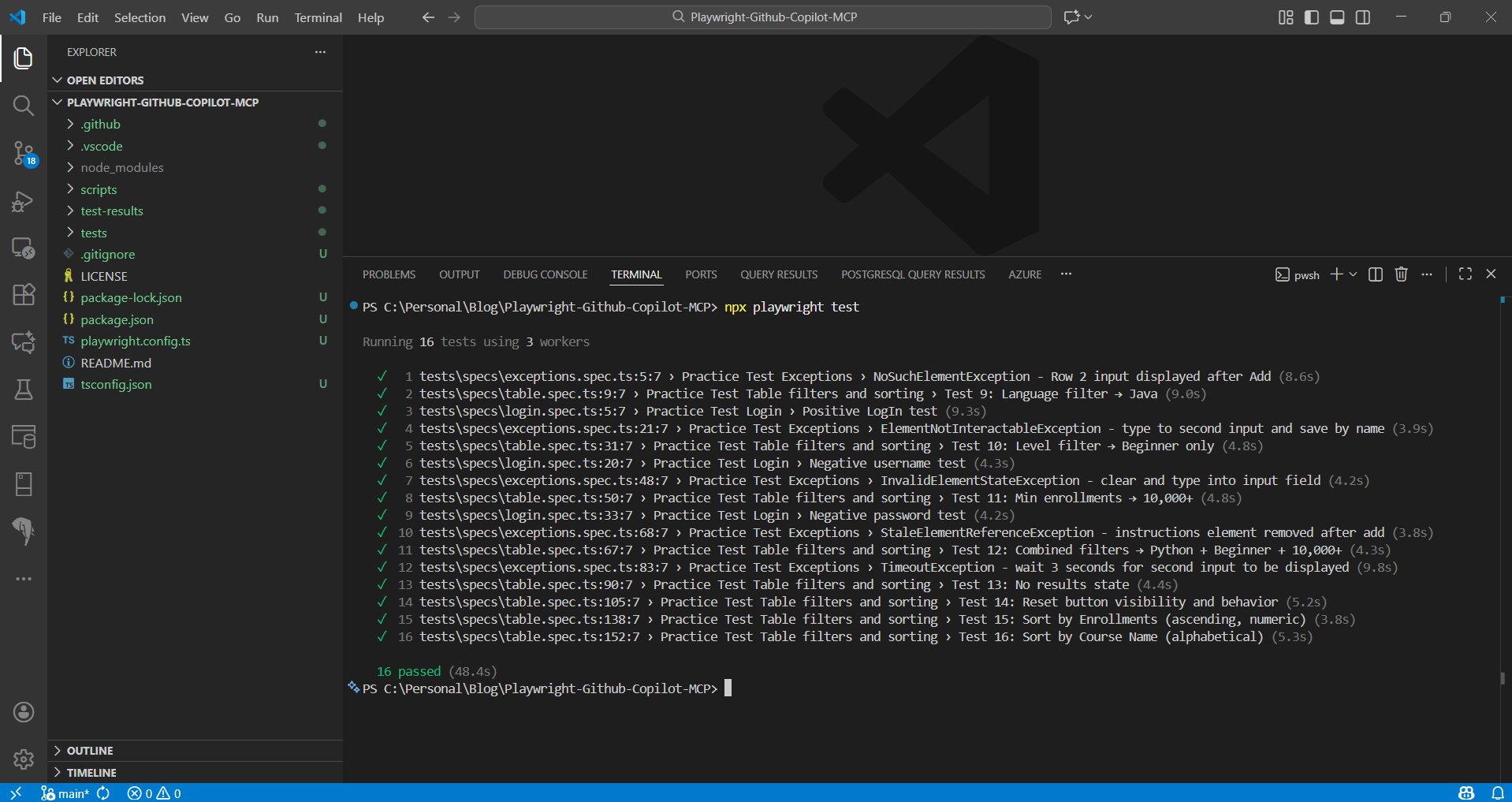
Here is the execution of playwright tests in my local system.
Happy Programming.
If you find my content helpful, consider supporting my work. Your support helps me continue creating valuable resources for the community.

Found this useful? Share it with your network!
Copyright © 2026 Anuraj. Blog content licensed under the Creative Commons CC BY 2.5 | Unless otherwise stated or granted, code samples licensed under the MIT license. This is a personal blog. The opinions expressed here represent my own and not those of my employer. Powered by Jekyll. Hosted with ❤ by GitHub