Publish your .NET MCP Server to NuGet
January 10, 2026 by Anuraj
MCP AI dotnet
In this blog post we will learn how to publish your .NET MCP Server to NuGet.
NuGet.org has recently introduced support for a dedicated MCP Server package type, enabling AI clients to more easily discover MCP Servers in the future. Even today, you can use this package type to make your MCP Server easily searchable on NuGet.org.
We can add MCP Server support starts with installing the .NET 10 SDK so you can package your MCP Server. Next, optionally we can add a server.json file inside an .mcp folder in your project to help users discover, configure, and launch your MCP Server more easily.
{
  "$schema": "https://static.modelcontextprotocol.io/schemas/2025-10-17/server.schema.json",
  "description": "MCP server for Sqlite database operations.",
  "name": "io.github.anuraj/SqliteMcp",
  "version": "1.0.1",
  "packages": [
    {
      "registryType": "nuget",
      "registryBaseUrl": "https://api.nuget.org",
      "identifier": "SqliteMcp",
      "version": "1.0.1",
      "transport": {
        "type": "stdio"
      },
      "packageArguments": [],
      "environmentVariables": [
        {
          "name": "SQLITE_DB_PATH",
          "value": "{sqlite_db_path}",
          "variables": {
            "sqlite_db_path": {
              "description": "Path to the SQLite database file.",
              "isRequired": true,
              "isSecret": false
            }
          }
        }
      ]
    }
  ],
  "repository": {
    "url": "https://github.com/anuraj/SqliteMcp",
    "source": "github"
  }
}
We need to provide the environment variables - which is required for the MCP server. Next we need to modify the C# project file to include following details.
<PropertyGroup>
  <OutputType>Exe</OutputType>
  <TargetFramework>net10.0</TargetFramework>
  <ImplicitUsings>enable</ImplicitUsings>
  <Nullable>enable</Nullable>
  <!-- NUGET Publishing details -->
  <PackAsTool>true</PackAsTool>
  <PackageType>McpServer</PackageType>
  <McpServerJsonTemplateFile>.mcp\server.json</McpServerJsonTemplateFile>
  <SelfContained>true</SelfContained>
  <PublishSelfContained>true</PublishSelfContained>
  <PublishSingleFile>true</PublishSingleFile>
  <PackageReadmeFile>README.md</PackageReadmeFile>
  <PackageId>SqliteMcp</PackageId>
  <PackageVersion>1.0.1</PackageVersion>
  <PackageTags>AI; MCP; server; stdio</PackageTags>
  <Description>MCP server for Sqlite database operations.</Description>
  <Authors>Anuraj</Authors>
  <ProjectUrl>https://github.com/anuraj/SqliteMcp</ProjectUrl>
  <RepositoryUrl>https://github.com/anuraj/SqliteMcp</RepositoryUrl>
</PropertyGroup>
And if the server.json added we need to add the following code in the project file as well. It include the Readme file reference as well.
<ItemGroup>
  <None Include="README.md" Pack="true" PackagePath="/" />
  <None Include=".mcp/server.json" Pack="true" PackagePath="/.mcp/" />
</ItemGroup>
Otherwise nuget.org may not display the VS Code configuration and the package readme.
That is all we need to do pack and publish your .NET MCP Server to NuGet.org!
Now we can run the command dotnet pack -c Release- which will build and package the executable to nuget package. And to deploy to the nuget.org, we can execute the command dotnet nuget push bin/Release/*.nupkg --api-key NUGET_APIKEY --source https://api.nuget.org/v3/index.json.
Here is the screenshot of the SqliteMcp MCP Server in nuget.org.
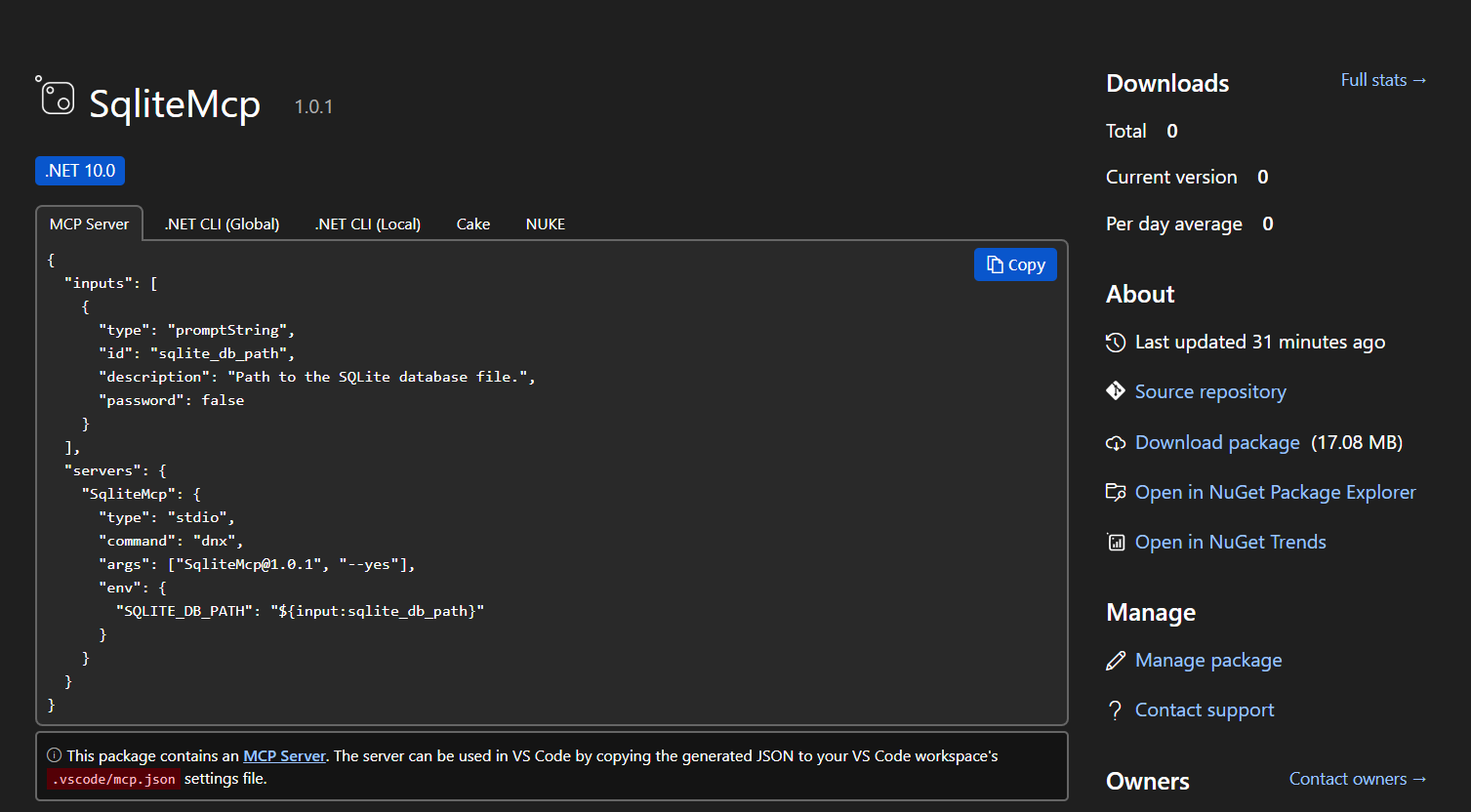
This way we can build and deploy the our MCP server to NuGet.
Here is the Link to the NuGet package - SqliteMcp on NuGet
Happy Programming.
If you find my content helpful, consider supporting my work. Your support helps me continue creating valuable resources for the community.

Found this useful? Share it with your network!
Copyright © 2026 Anuraj. Blog content licensed under the Creative Commons CC BY 2.5 | Unless otherwise stated or granted, code samples licensed under the MIT license. This is a personal blog. The opinions expressed here represent my own and not those of my employer. Powered by Jekyll. Hosted with ❤ by GitHub