Quality Gate: Configuring Code Coverage Checks for .Net Core in Bitbucket
February 18, 2026 by Anuraj
dotnet bitbucket devops codequality
In this blog post, we will learn about how to enable quality gate - configuring Code Coverage checks for .Net Core in Bitbucket. A Quality Gate is an enforced checkpoint within a CI/CD pipeline that software must pass before progressing to the next stage. It evaluates predefined rules, metrics, and best practices to ensure code quality standards are met, preventing low-quality or non-compliant code from advancing in the development process.
For this blog post, I am using dotnet test command with code coverage using the following command - dotnet test --collect:"XPlat Code Coverage" - this will generate the coverage file - coverage.cobertura.xml. We will convert this file using reportgenerator tool, and finally parse it using grep command.
Here is the full script.
- step: &dotnet-test
    name: Test .NET Core & Check Coverage
    image: mcr.microsoft.com/dotnet/sdk:8.0
    caches:
      - dotnetcore
    script:
      - dotnet new tool-manifest
      - dotnet tool install dotnet-reportgenerator-globaltool
      - dotnet tool restore
      - dotnet test --collect:"XPlat Code Coverage"
      - dotnet reportgenerator -reports:**/coverage.cobertura.xml -targetdir:coveragereport -reporttypes:TextSummary
      - |
        COVERAGE=$(grep "Line coverage" coveragereport/Summary.txt | awk '{print $3}' | tr -d '%')
        THRESHOLD=60
        COVERAGE_INT=$(printf "%.0f" "$COVERAGE")

        echo "Code Coverage: $COVERAGE%"
        echo "Required Threshold: $THRESHOLD%"

        if [ "$COVERAGE_INT" -lt "$THRESHOLD" ]; then
          echo "PIPELINE FAILED: Coverage $COVERAGE% is below required $THRESHOLD%"
          exit 1
        else
          echo "Coverage check passed: $COVERAGE%"
        fi
    artifacts:
      - TestResults/**/*
      - coveragereport/**
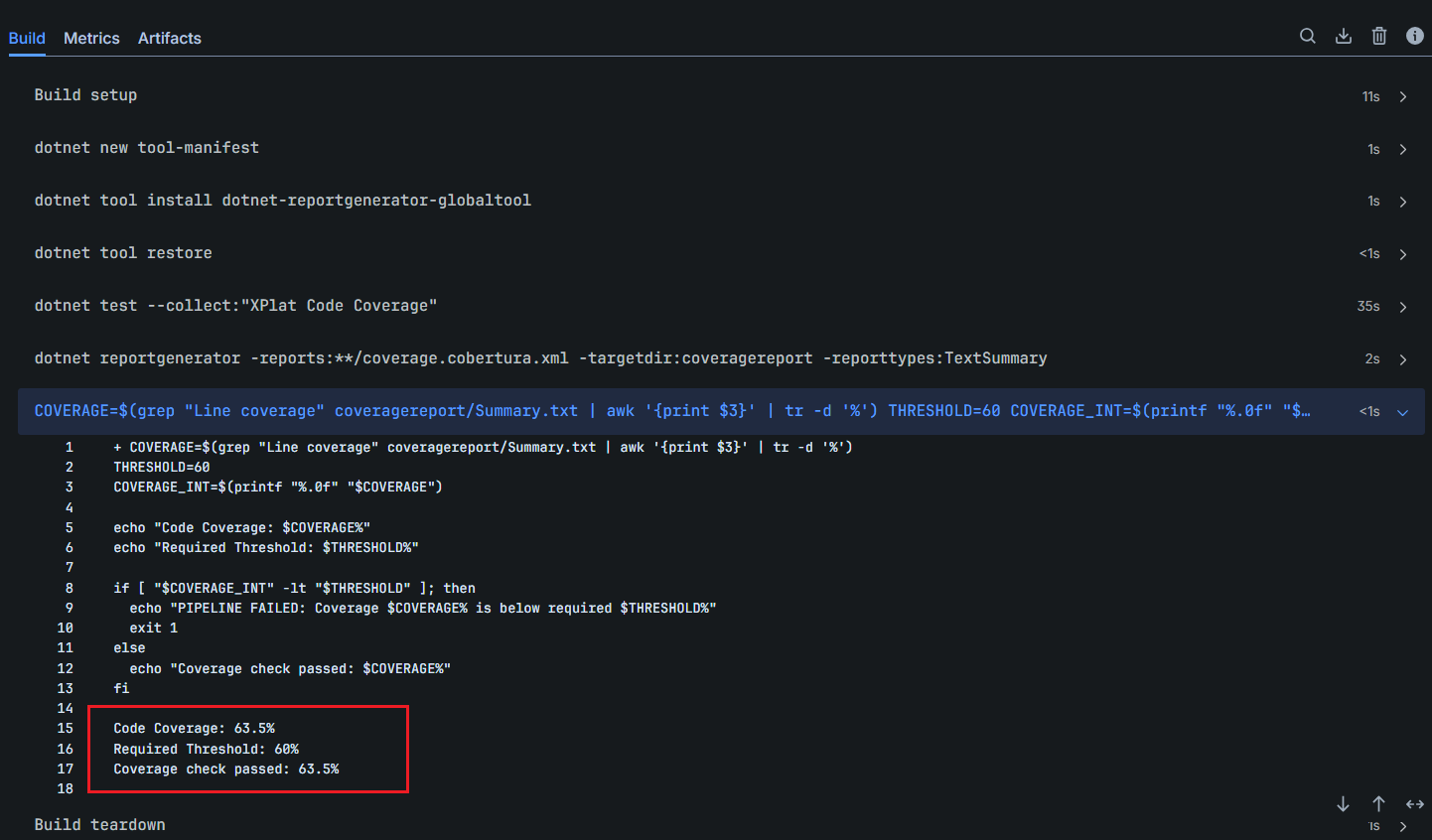
In the step, we are configuring the threshold - and if the code coverage is less than the threshold, I am failing the build. Here is the screenshot of the bitbucket pipeline.
This way we can enable code quality gate in .NET projects in Bitbucket pipeline. Implementing a C# quality gate in Bitbucket Pipelines ensures that every code change meets defined standards before it progresses through the build and deployment stages. By integrating tools such as static code analysis, test coverage checks, and security scanning into the pipeline, teams can automatically enforce coding best practices, reduce technical debt, and prevent low-quality code from reaching production. This approach not only improves overall software reliability but also builds confidence in every release.
Happy Programming
If you find my content helpful, consider supporting my work. Your support helps me continue creating valuable resources for the community.

Found this useful? Share it with your network!
Copyright © 2026 Anuraj. Blog content licensed under the Creative Commons CC BY 2.5 | Unless otherwise stated or granted, code samples licensed under the MIT license. This is a personal blog. The opinions expressed here represent my own and not those of my employer. Powered by Jekyll. Hosted with ❤ by GitHub