Getting started with Foundry Local
April 19, 2026 by Anuraj
AI Microsoft Foundry
In this blog post, we’ll explore Microsoft Foundry Local and how you can use it to run AI models directly on your machine.
Imagine building AI-powered applications that run entirely on a user’s device - no cloud dependency, no latency, and no data leaving the system. That’s exactly what Foundry Local enables. It provides an easy-to-use SDK (C#, JavaScript, Rust, and Python), a curated catalog of optimized models, and automatic hardware acceleration - all packaged into a lightweight developer experience. The best part? Your app works offline, responses are instant, and there are no per-token costs or backend infrastructure to manage.
For this walkthrough, we’ll use the Foundry Local CLI, which is currently in preview.
Installing Foundry Local CLI
Getting started is straightforward. You can install the CLI using the following command:
winget install Microsoft.FoundryLocal
Once installed, you’ll have access to the foundry CLI on your machine.
Running Your First Model
Let’s jump straight into running a model:
foundry model run qwen2.5-0.5b
The first time you run this command, the model will be downloaded and optimized based on your system’s hardware.
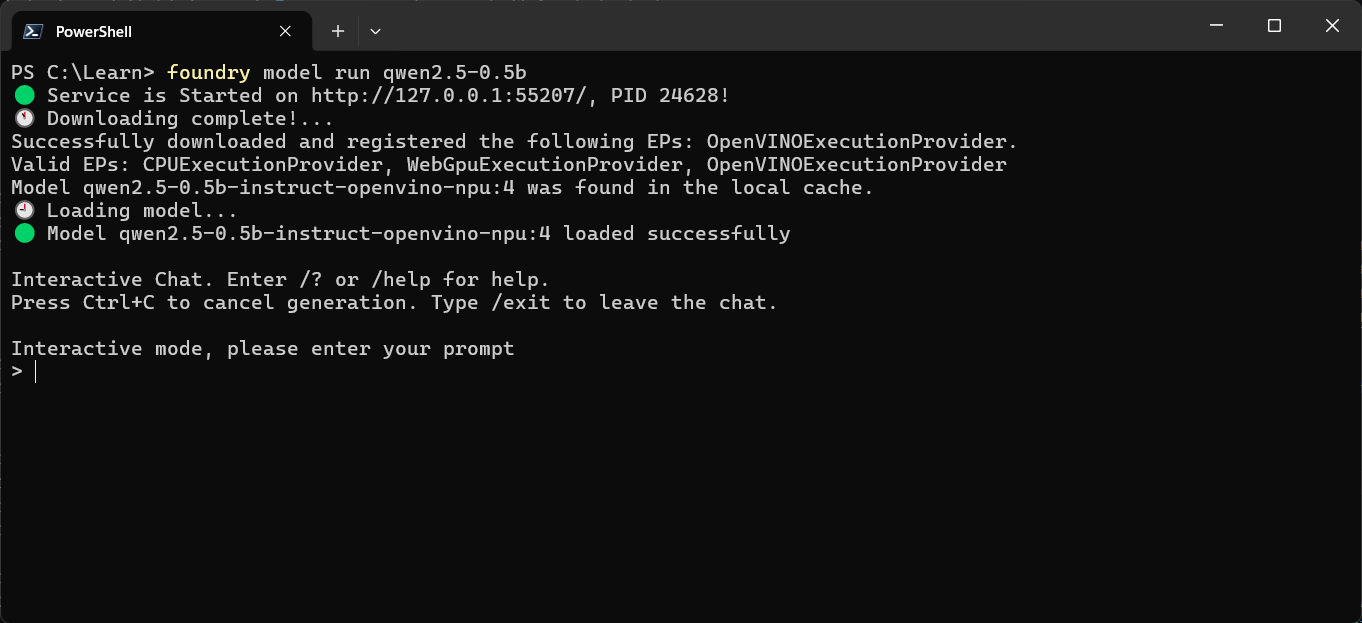
Once everything is ready, the model starts in interactive chat mode.
You’ll see a terminal interface where you can start interacting with the model—just like you would with any AI assistant.
To exit the session, simply type:
/exit
or
/bye
Exploring Available Models
Want to see what other models are available? Use:
foundry model list
This will show all supported models you can run locally.
If you need more details about a specific model, run:
foundry model info qwen2.5-0.5b
This gives you deeper insights into the model, including its capabilities and requirements.
Managing Downloaded Models
Once a model is downloaded, it’s cached locally so you don’t need to fetch it again.
To see all cached models, use:
foundry cache list
This helps you understand what’s already available on your system and manage your local setup efficiently.
Final Thoughts
Foundry Local makes it incredibly easy to experiment with and build AI applications that run entirely on-device. Whether you’re prototyping or building production-ready solutions, the ability to run models locally—with zero latency and complete data privacy—is a game changer.
If you’re curious about local-first AI or want to reduce dependency on cloud-based inference, Foundry Local CLI is definitely worth exploring. In the next blog post we will learn how to programmatically use an Foundry local model using Microsoft.Extensions.AI nuget package.
Happy Programming
If you find my content helpful, consider supporting my work. Your support helps me continue creating valuable resources for the community.

Found this useful? Share it with your network!
Copyright © 2026 Anuraj. Blog content licensed under the Creative Commons CC BY 2.5 | Unless otherwise stated or granted, code samples licensed under the MIT license. This is a personal blog. The opinions expressed here represent my own and not those of my employer. Powered by Jekyll. Hosted with ❤ by GitHub