GitHub Copilot - Automated Code Review on Pull Requests
July 20, 2026 by Anuraj
dotnet codereview github copilot
In this blog post, we will explore automated Code Review on Pull Requests using GitHub Copilot. First we need to install the Copilot CLI in the GitHub Action and then we can execute the copilot CLI with prompt parameter and view the results.
- name: Install Copilot CLI
    run: npm install -g @github/copilot
- name: Run Copilot review
    run: |
        set -e
        copilot --silent --yolo -p "Review the changes in this commit for bugs, security issues, and logic errors. Be specific about line numbers and provide detailed explanations for any issues found.
    env:
        GITHUB_TOKEN: $
We need the copilot-requests: write permissions - which we need to add it in the beginning of the GitHub Action. Here is the screenshot of the application.
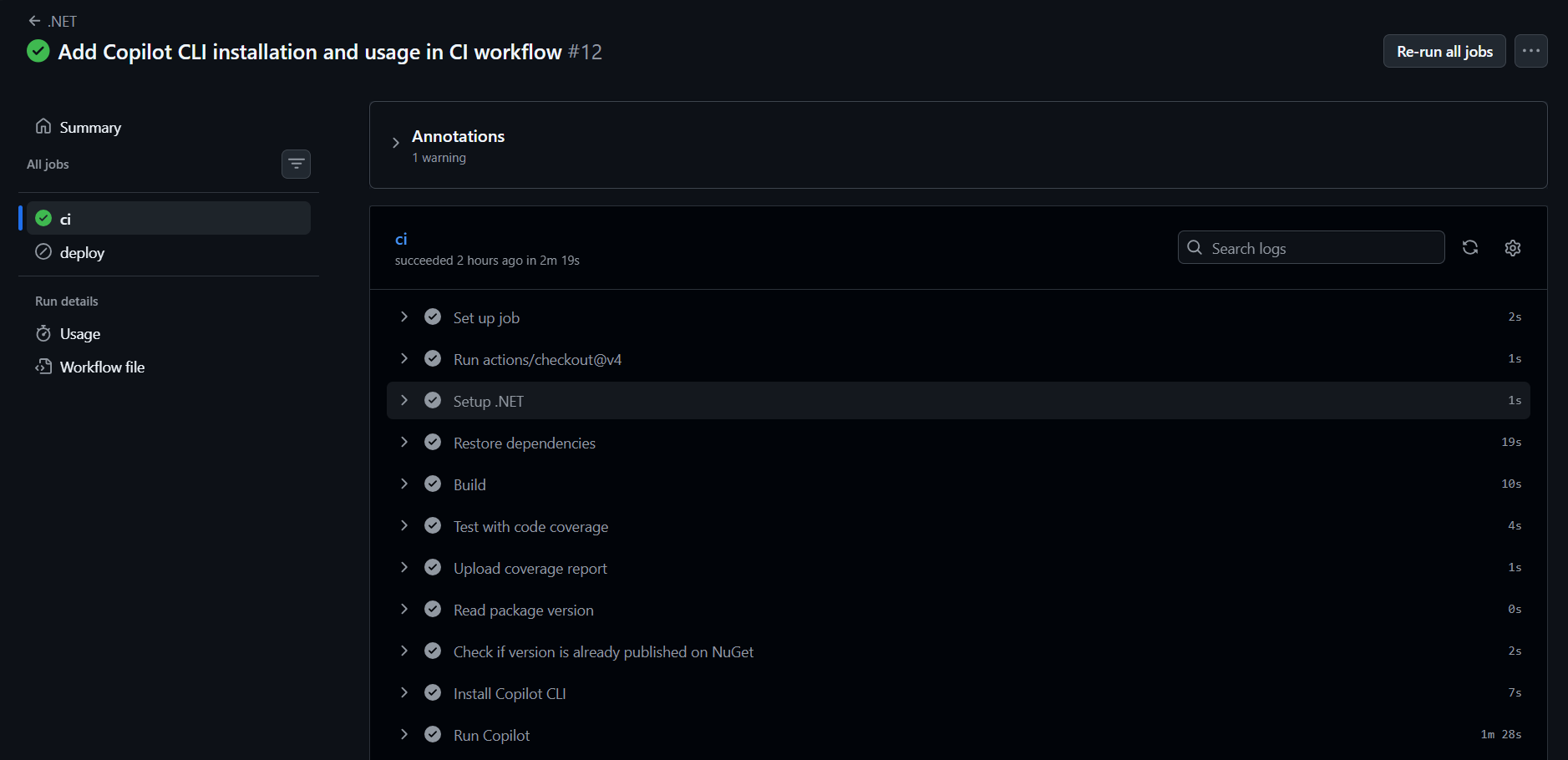
And when we expand the Run Copilot review step, we can see the following content.
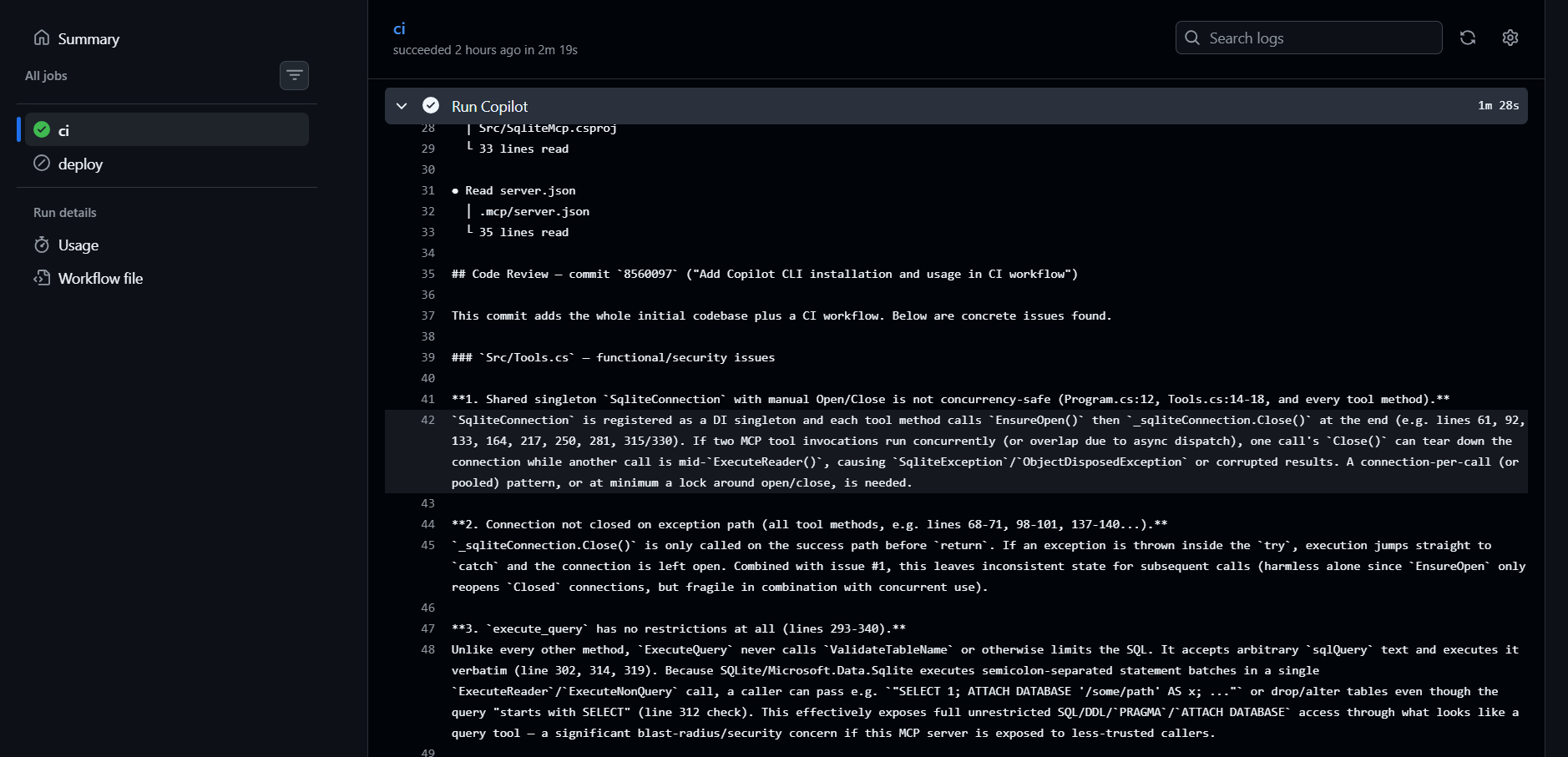
Now we can modify the action code and create the an issue in GitHub Action. For creating issues, we need the issues: write permission. Here is the full code which execute copilot CLI review and create an issue in GitHub.
- name: Install Copilot CLI
  run: npm install -g @github/copilot
- name: Run Copilot review
  run: |
    set -e
    copilot --silent --yolo -p "Review the changes in this commit for bugs, security issues, and logic errors. Be specific about line numbers and provide detailed explanations for any issues found. In the output I only need Filename, LineNumber, Issue, Impact, Severity in markdown format" > /tmp/copilot_review.txt
    [[ -s /tmp/copilot_review.txt ]] || { echo "Copilot returned empty output" >&2; exit 1; }
  env:
    GITHUB_TOKEN: $
- name: Create issue with Copilot review
  run: |
    gh issue create --title "Copilot Review: $GITHUB_SHA" --body-file /tmp/copilot_review.txt
  env:
    GITHUB_TOKEN: $
Once the code is committed and execute the action, it will create a GitHub Issue with the following content.
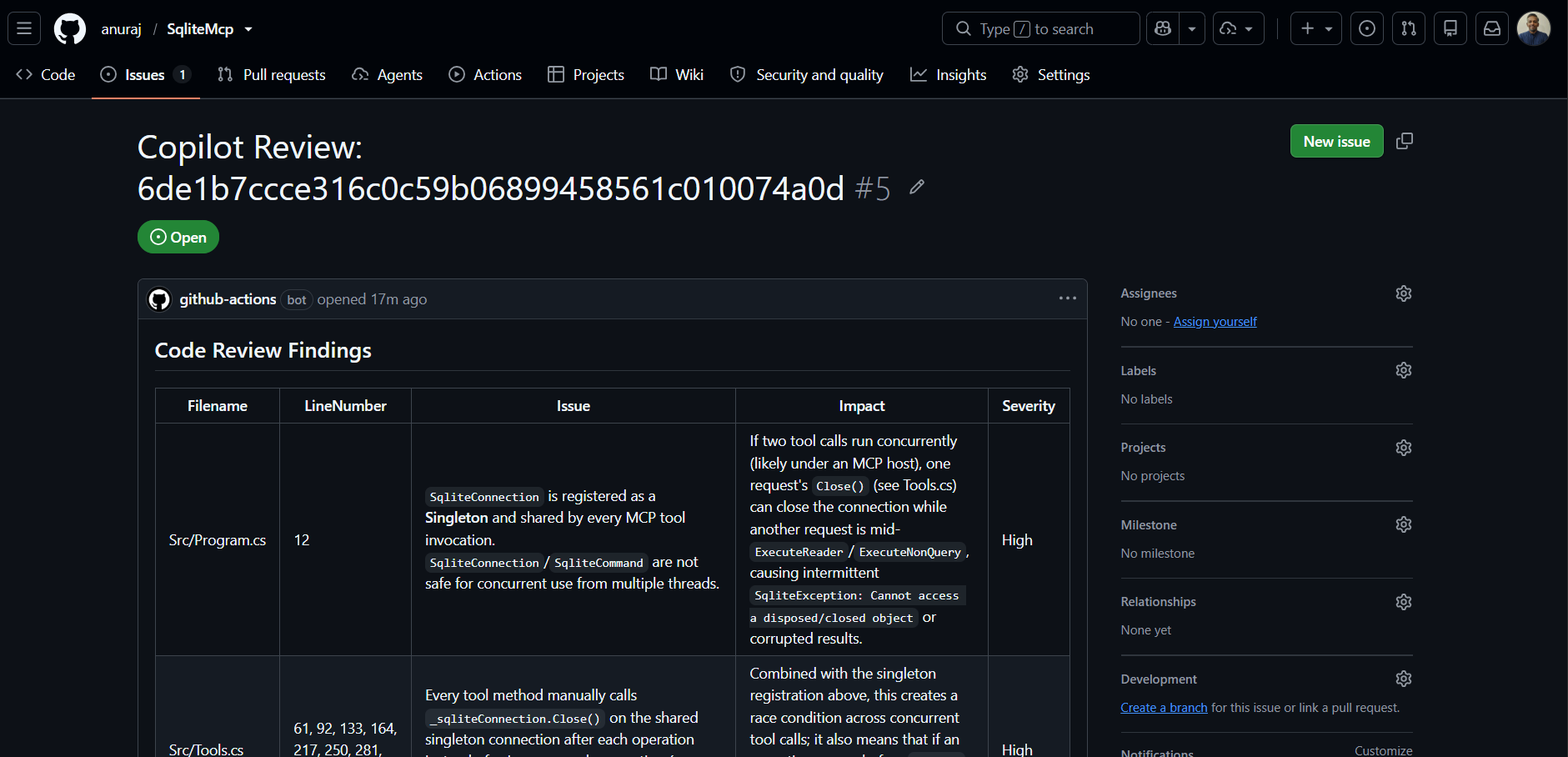
This way we will be able to use GitHub Copilot CLI to review the code and create issue in GitHub using GitHub Actions. You can find the entire GitHub Action here
Happy Programming.
If you find my content helpful, consider supporting my work. Your support helps me continue creating valuable resources for the community.

Found this useful? Share it with your network!
Copyright © 2026 Anuraj. Blog content licensed under the Creative Commons CC BY 2.5 | Unless otherwise stated or granted, code samples licensed under the MIT license. This is a personal blog. The opinions expressed here represent my own and not those of my employer. Powered by Jekyll. Hosted with ❤ by GitHub